
Your desk doesn’t need to be minimalist. It needs to be intentional. Every object earns its place or it goes away. These 7 picks make that easy.
Digital Planner — Plan Your Day Without Paper Chaos
Sticky notes, random notebooks, torn paper — paper planning creates desk clutter that never fully disappears. A digital planner centralizes everything: tasks, meetings, goals, and notes in one place. Your desk stays clear because your planning stays digital.

Floating Shelf — Move Everything Off the Desk and Onto the Wall
A floating shelf above your desk removes books, plants, and decor objects from the desk surface entirely — while keeping them visible and accessible. It creates vertical dimension in the workspace and clears the desk for actual work. The single most effective desk upgrade that doesn’t touch the desk itself.

Bamboo Monitor Stand — Elevation That Solves Two Problems at Once
A monitor at eye level reduces neck strain immediately. But the bigger win is what goes underneath — a bamboo monitor stand creates a natural storage shelf below the screen. Keyboard slides under when not in use, notebooks stack neatly, and the desk surface effectively doubles.

Organizer Tray — Define Your Desk Surface
A desk tray creates a visual boundary on the desk surface — everything inside it belongs there, everything outside it doesn’t. It contains your daily essentials in one intentional zone and makes the desk look styled rather than occupied. The difference between a working desk and a cluttered one often comes down to this single object.

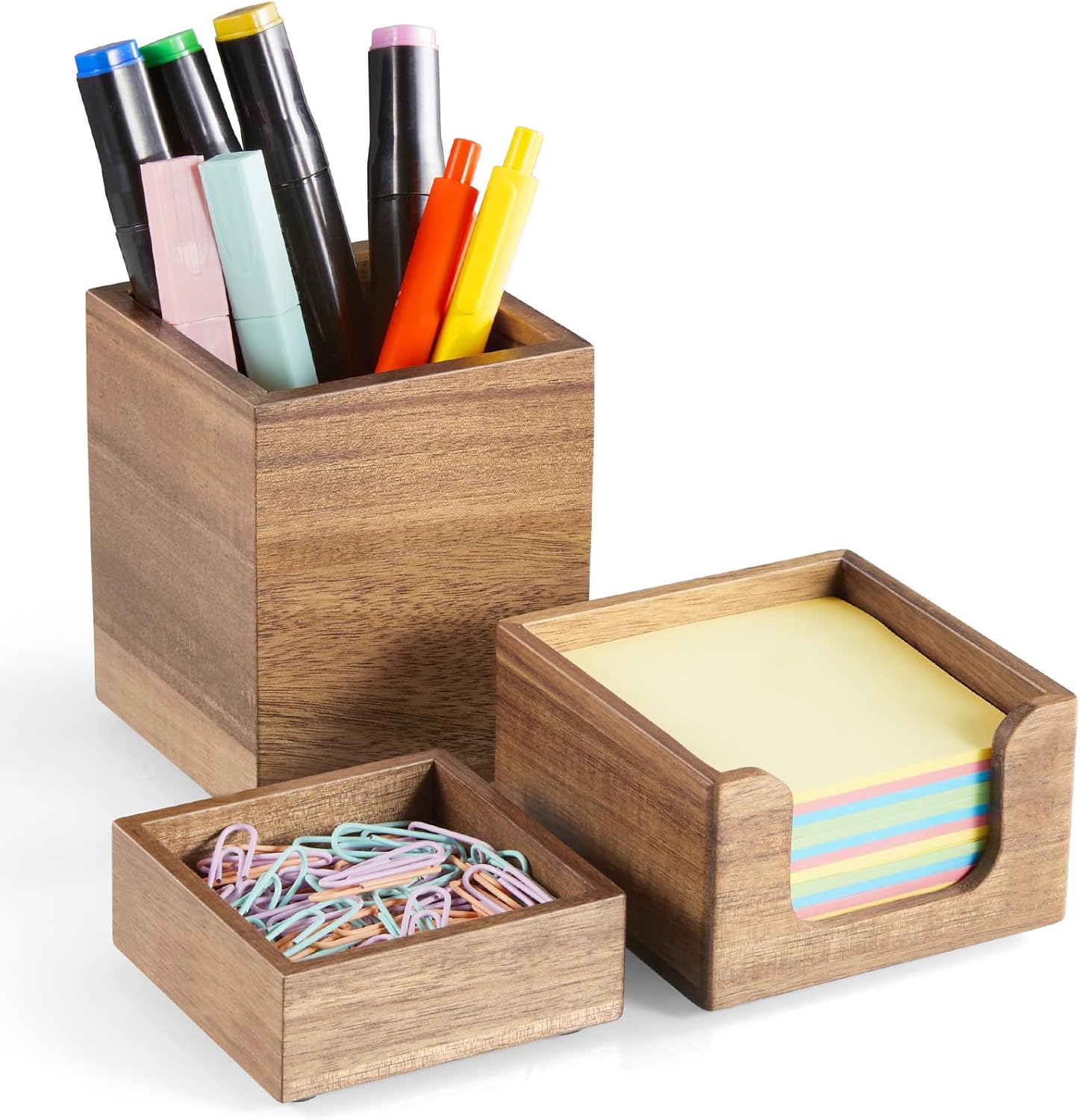
Organizer Set — Pen Holder, Paperclip & Sticky Note Storage
Scattered pens, loose paperclips, and sticky note pads are the three most common sources of small desk clutter. A matching organizer set gives each one a fixed, visible home. Matching containers — same material, same finish — create instant visual calm even on a busy desk.
Cable Management Under Table — Hide Every Cable Completely
Under-desk cable management mounts directly beneath the desk surface and holds all your power strips, cables, and adapters completely out of sight. Nothing on the floor, nothing trailing down the desk. The result is a desk that looks like it has no technology on it — until you sit down.

Charging Station — One Spot for Every Device, Zero Loose Cables
A multi-device charging station consolidates your phone, earbuds, smartwatch, and tablet into a single organized hub. No more hunting for cables, no more tangled cords across the desk. One object replaces four separate chargers and removes the most common source of cable clutter from the desk surface entirely.

Start With the Monitor Stand & Cable Management
Together they transform how your desk looks and works — in one afternoon.
Affiliate Disclosure: This article contains affiliate links to Amazon. If you purchase through one of my links, I may earn a small commission at no extra cost to you. All opinions are entirely my own.